
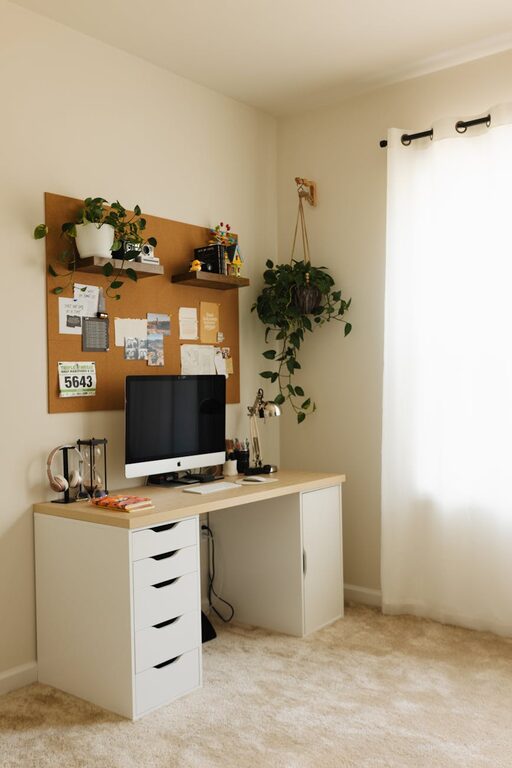
Creating a productive home office space is essential for anyone working remotely or managing tasks from home. A well-designed workspace can improve focus, reduce distractions, and help separate work life from personal life. Whether you’re setting up a spot in a small corner or dedicating an entire room, these tips will guide you in making a workspace that supports your productivity and well-being.
Find the Right Location
Choosing the right place for your home office sets the foundation for productivity.
– Quiet and private: Select a spot where you can minimize noise and interruptions. If possible, use a separate room with a door to signal work time.
– Good lighting: Natural light boosts mood and focus. Position your desk near a window, but avoid glare on your screen.
– Comfortable temperature: Make sure the area is well-ventilated and at a comfortable temperature year-round.
Invest in Ergonomic Furniture
Your comfort affects how long and productively you can work.
– Ergonomic chair: Choose an adjustable chair that supports your lower back and promotes good posture.
– Desk height: Use a desk or table that allows your arms to rest comfortably at a 90-degree angle when typing.
– Monitor placement: Position your monitor at eye level to avoid neck strain.
Organize Your Workspace
A clutter-free area helps maintain focus and efficiency.
– Storage solutions: Use shelves, drawers, or bins to keep supplies organized.
– Desk essentials: Keep only the items you use daily on your desk to avoid distractions.
– Cable management: Use clips or sleeves to organize wires and prevent tangles.
Optimize Technology and Tools
Reliable equipment improves work quality and reduces frustration.
– Stable internet: Use a wired connection if possible or ensure strong Wi-Fi coverage in your office area.
– Quality peripherals: Invest in a good keyboard, mouse, and headset for comfort and clear communication.
– Backup power: Consider a surge protector or uninterruptible power supply (UPS) to protect your devices.
Set Boundaries and Routines
Establishing clear work hours helps balance productivity and rest.
– Designate work time: Create a schedule with regular start and end times.
– Break reminders: Use timers or apps to take short breaks and stretch.
– Communicate boundaries: Let family or housemates know your work hours to minimize interruptions.
Personalize Your Space
A workspace that reflects your personality can boost motivation.
– Add plants: Greenery improves air quality and creates a calming environment.
– Incorporate decor: Photos, artwork, or inspirational quotes can make your area inviting.
– Choose calming colors: Soft blues, greens, or neutrals help create a peaceful setting.
Manage Noise and Distractions
Control sound and other distractions to maintain focus.
– Noise-canceling headphones: Useful if your environment is noisy or distracting.
– White noise machines: These can help block out background sounds.
– Limit multitasking: Focus on one task at a time to improve concentration.
Maintain Cleanliness and Comfort
Keep your home office welcoming and functional with regular upkeep.
– Daily tidying: Spend a few minutes at the end of each day organizing your space.
– Comfort items: Use a footrest, wrist supports, or a standing desk option for comfort.
– Air quality: Open windows or use an air purifier to keep air fresh.
—
By combining these tips, you can create a home office space that is comfortable, efficient, and inspiring. A thoughtfully designed workspace will not only improve your productivity but also support your overall work-from-home experience. Start small, make adjustments, and find the setup that works best for you!