
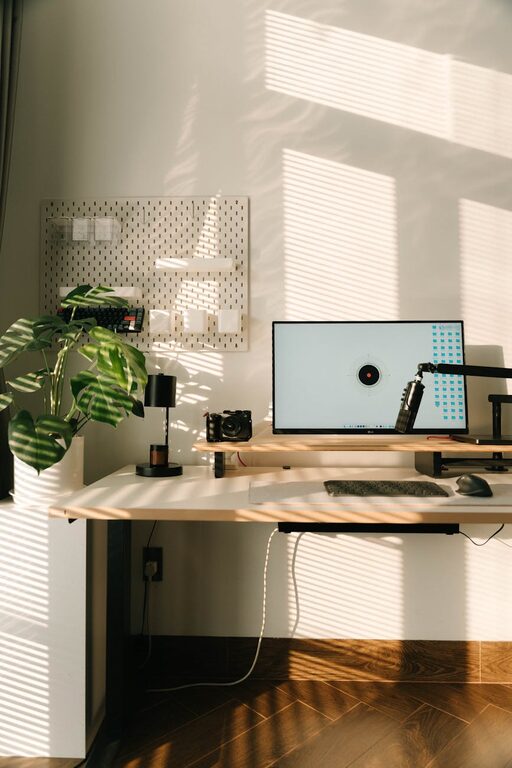
Creating a home office that feels relaxing and comfortable is essential for maintaining productivity and well-being while working remotely. A calm environment reduces stress, helps you focus, and can improve your overall job satisfaction. Whether you’re setting up a new space or refreshing an existing one, these tips will help you design a home office that supports both work and relaxation.
Why a Relaxing Home Office Matters
Working from home can blur the lines between personal and professional life. Distractions, clutter, and uncomfortable surroundings may lead to stress and decreased efficiency. A relaxing workspace acts like a sanctuary where you can concentrate without feeling overwhelmed. It encourages healthier habits and a positive mindset, ultimately benefiting your work output and mental health.
Choosing the Right Location
Find a Quiet Spot
Select a part of your home that experiences minimal foot traffic and noise. If possible, a separate room with a door is ideal. If space is limited, use room dividers or noise-canceling headphones to minimize distractions.
Natural Light is Key
Natural light uplifts mood and energy levels. Place your desk near a window to enjoy daylight and fresh air. Avoid glare on your computer screen by positioning your workstation accordingly or use curtains and blinds to control light intensity.
Ergonomic and Comfortable Furniture
Invest in a Good Chair
An ergonomic chair that supports your back and encourages good posture is a must-have. Comfort prevents fatigue and promotes focus during long hours of work.
Desk Setup
Choose a desk at the right height to keep your arms at a 90-degree angle when typing. Consider adjustable desks that allow you to alternate between sitting and standing.
Organize Your Workspace
Keep your desk neat and clutter-free. Use drawers, shelves, or organizers to store supplies. A tidy workspace helps clear your mind and enhances productivity.
Incorporate Calming Colors and Decor
Opt for Soothing Colors
Colors like soft blues, greens, or neutral tones create a peaceful ambiance. Avoid overly bright or harsh colors that might cause visual fatigue.
Add Personal Touches
Incorporate elements that make you feel relaxed, such as artwork, plants, or meaningful objects. Be careful not to overcrowd the space, as that can cause distraction.
Use Plants
Indoor plants improve air quality and add a touch of nature. They have been shown to reduce stress and boost creativity.
Manage Lighting and Sound
Layered Lighting
Combine ambient, task, and accent lighting to create a versatile environment. Adjustable desk lamps help focus light where needed without straining your eyes.
Control Noise
Use white noise machines or soft background music to mask disruptive sounds. Noise-canceling headphones are beneficial if you share your home with others.
Technology Setup for Efficiency and Comfort
Cable Management
Organize cables with clips, ties, or cable boxes to keep your workspace clean and safe.
Screen Position
Place your computer screen at eye level about an arm’s length away to avoid neck strain and eye fatigue.
Maintain Good Air Quality
Use air purifiers or keep windows open to ensure fresh air circulation, which keeps you alert and comfortable.
Create Boundaries and Routines
Define Work Hours
Establish clear start and end times for your workday to maintain balance.
Break Spaces
If possible, separate your workspace from your relaxation areas. Use breaks to step away and recharge.
Personal Rituals
Start your workday with a simple ritual like a cup of tea or a few stretches to set a calm tone.
Keep It Clutter-Free with Regular Maintenance
Schedule weekly clean-ups to declutter and refresh your home office. A clean space promotes relaxation and keeps you motivated.
Final Thoughts
Designing a relaxing home office is about creating a space where your mind can focus and feel at ease. With thoughtful furniture, lighting, organization, and personal touches, you can turn any area into a calm, productive haven. Remember, your workspace should support your needs and well-being—take time to adjust it until it feels just right.