
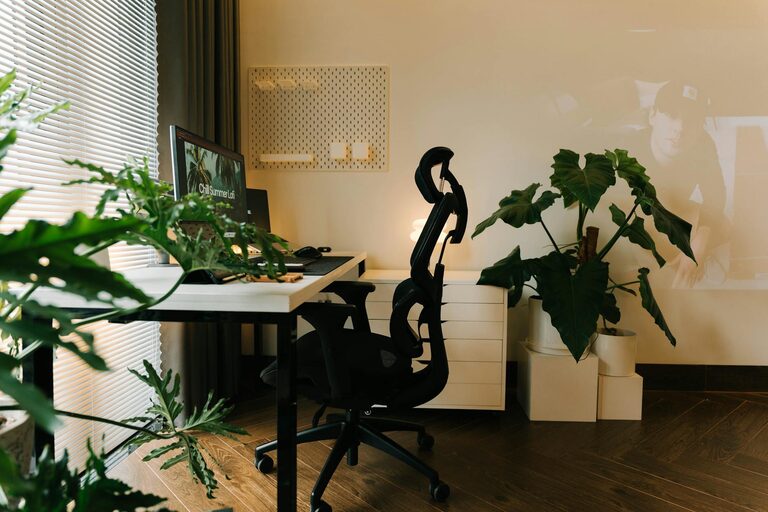
Creating a home workspace that feels cozy and inviting is essential for staying productive and motivated throughout your workday. Whether you work remotely full-time or just need a dedicated spot to handle tasks, a comfortable and thoughtfully designed workspace can make a big difference. Here are some practical tips to help you build a space that blends comfort with function.
Choose the Right Location
Consider Natural Light
Natural light can significantly affect your mood and energy levels. Try to position your desk near a window where you can enjoy daylight without glare on your screen. If natural light is limited, invest in good-quality artificial lighting that mimics daylight to reduce eye strain.
Minimize Distractions
Pick a quiet corner or room that minimizes outside noise and interruptions. Using room dividers, noise-canceling headphones, or soundproofing options can help create a peaceful environment conducive to concentration.
Invest in Comfortable Furniture
Ergonomic Desk and Chair
Comfort is key to avoiding physical strain during long working hours. Choose an ergonomic chair that supports your back well and a desk at the right height for good posture. Adjustable chairs and desks offer flexibility and can enhance comfort.
Multi-Functional Furniture
If space is limited, consider furniture that serves multiple purposes. For example, a desk with built-in storage or a foldable design can help you maintain organization without crowding your room.
Personalize Your Space
Add Warm Textures
Incorporate elements like a soft rug, cozy throw blankets, or cushions to make your workspace feel warm and inviting. These touches add a layer of comfort beyond functionality.
Decor and Inspiration
Decorate with meaningful items such as artwork, plants, or motivational quotes that inspire you. Personal touches can boost your mood and make your workspace feel like your own.
Optimize Organization
Declutter Regularly
A tidy workspace can help reduce stress and improve focus. Use organizers, shelves, and storage bins to keep your essentials neat and within reach.
Cable Management
Manage cables using clips, sleeves, or under-desk trays to keep cords untangled and out of sight. A neat setup not only looks better but also makes cleaning easier.
Use Soothing Colors
Choose Calming Tones
Colors impact how you feel. Soft neutrals, pastels, or nature-inspired shades can create a calming atmosphere. Avoid overly bright or distracting colors that might affect concentration.
Accent Colors for Energy
While keeping the main color scheme calming, adding small pops of color like in accessories or decor can provide energy and creativity stimulation.
Enhance Air Quality and Comfort
Add Plants
Indoor plants improve air quality and bring a touch of nature inside. Choose low-maintenance options like succulents or peace lilies to brighten your space without extra effort.
Temperature Control
Make sure your workspace is well ventilated, with controls for temperature as needed. A comfortable climate helps you stay focused and comfortable.
Incorporate Technology Thoughtfully
Efficient Equipment
Use technology that simplifies your work. Invest in a reliable computer, fast internet, and quality peripherals like a good keyboard and mouse.
Keep It Minimal
Limit the number of gadgets visible on your desk to avoid clutter. Wireless devices can also help reduce cables.
Create a Routine and Boundaries
Define Work Hours
Establishing regular work hours can help separate work time from personal time, reducing burnout.
Use Your Space Only for Work
Try to associate your workspace solely with work activities. Avoid using it for unrelated tasks to maintain focus and make your brain associate that area with productivity.
—
By applying these tips, you can create a home workspace that is both cozy and inviting, helping you stay comfortable and engaged throughout your workday. Remember, your workspace should work for you—tailor these ideas to your needs and preferences to find the perfect balance of function and comfort.